
PanoramaStudio 4.2 – DNG Export, Improved Image Alignment and HDR Processing, Faster Interactive Panoramas
August 06, 2026
PanoramaStudio 4.2 and PanoramaStudio 4.2 Pro, the latest versions of the popular panorama software for Windows and macOS, are now available at www.tshsoft.com. The update brings numerous improvements to panorama creation and editing, along with improved performance. Key new features include the much-requested DNG export, significantly improved image alignment, and substantial performance improvements for interactive panoramas.
DNG Export
With version 4.2, panoramas can now also be exported in DNG format. The Standard version supports export as 16-bit DNG files. The Pro version can additionally export HDR panoramas as DNG files with 32-bit floating-point color depth.
Significantly Improved Image Alignment for Large Panoramas
The automatic image alignment has been fundamentally improved, delivering significantly more reliable results, particularly in difficult shooting situations. At the same time, performance has been greatly improved for very large projects. Panoramas consisting of hundreds or thousands of individual images can now be aligned much faster. Projects with more than 1,000 images that previously could take several hours to align can now usually be stitched reliably within just a few minutes.
The Pro version also benefits from improved HDR image alignment. The automatic detection and matching of exposure brackets for HDR panoramas is now significantly more reliable. Even panoramas made up of numerous HDR exposure brackets with five or more images each can now usually be detected and aligned completely automatically – including cases that previously required manual intervention.
The redesigned Grid Assistant in the Pro version also provides better support for aligning very large panoramas captured in a regular pattern and is often many times faster. A new option allows image overlaps to be strictly constrained to a predefined range. This can significantly speed up the alignment of large numbers of images, while also making it considerably more reliable, particularly for images captured with motorized panoramic heads.
Significantly Faster Interactive Panoramas
The generation and display of interactive panoramas have also been optimized. A newly structured output format has reduced loading times in the PanoramaStudio Viewer by around 50% on average. In many cases, the entire initial view now loads in just a fraction of a second. When zooming and scrolling, the required image tiles are now loaded considerably faster, making the loading process virtually imperceptible in most cases.
The image data of interactive panoramas can now optionally be compressed using Google's modern JPEGli encoder. JPEGli reduces file sizes by up to 25% while maintaining full browser compatibility, resulting in faster loading times.
Further Improvements
Memory management during rendering has been optimized, allowing even very large individual images to be processed reliably with limited RAM. RAW import now supports 25 additional camera models, bringing the total to more than 1,270 supported RAW formats. The highlights recovery option for RAW and DNG images has also been further improved. The camera database now contains information for more than 2,900 cameras, drones, and smartphones. Support for DJI metadata has also been extended.
The update is rounded out by numerous smaller improvements and bug fixes, including improvements to imported panoramic images, classic single-row panoramas, the Batch Renderer, the Control Point Editor, and the display of interactive panoramas in Firefox. The icons in the user interface have also been modernized.
Pricing and Upgrade Options
PanoramaStudio 4.2 and PanoramaStudio 4.2 Pro are available for Windows and macOS. Perpetual licenses start at €59 or USD 59, with no subscription required.
For customers of version 4, the update is free of charge. Customers of older versions can update to PanoramaStudio 4 or PanoramaStudio 4 Pro at reduced price. Upgrades from the current or previous standard version to Pro are also available.
Further information, fully functional trial versions, and purchase and update options are available on the PanoramaStudio website.
About PanoramaStudio
PanoramaStudio is a comprehensive solution for creating, editing, and presenting panoramic images, interactive panoramas, and virtual tours. The software automatically stitches any arrangement of overlapping individual images into seamless panoramas – from simple handheld panoramas made from just a few photos to enormous Gigapixel panoramas consisting of thousands of images.
Images can be captured with virtually any conventional camera, from smartphones and drones to high-end DSLRs, and, in the Pro version, fisheye lenses are also supported. Existing panoramic images can be imported and further processed as well.
Extensive editing and creative tools give users full control from the individual image to the finished output.
The resulting panoramas can be exported not only as high-resolution images, but also as interactive 3D panoramas or linked into virtual tours, ready for local presentation or integration into websites.
Contact
tshsoft GmbH
Tobias Hüllmandel
Alte Landstrasse 6
97218 Gerbrunn
https://www.tshsoft.com
support@tshsoft.com
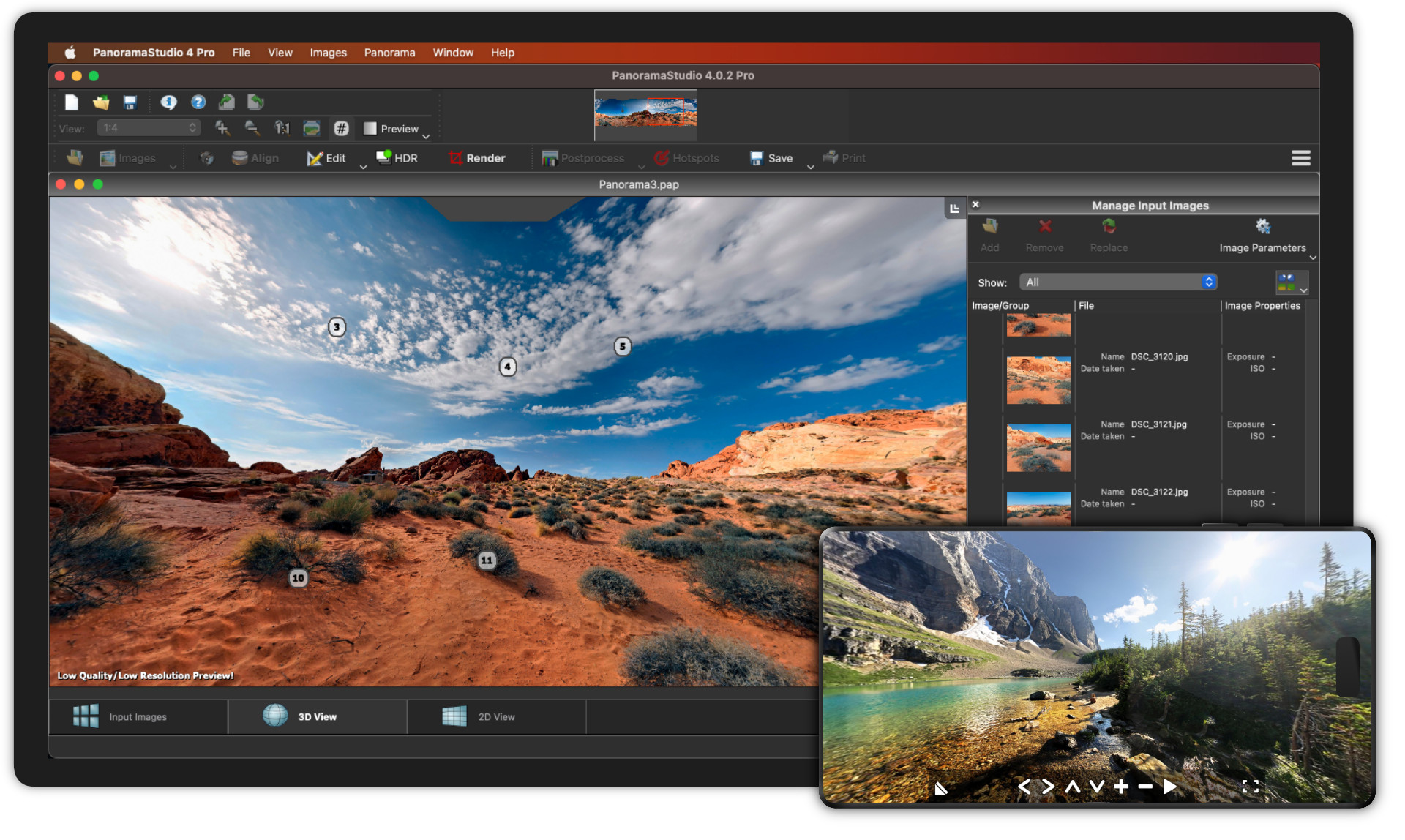
PanoramaStudio 4 and 4 Pro - New Versions of the Popular Panorama Software
March 18, 2024
After an intensive development process, PanoramaStudio 4 and PanoramaStudio 4 Pro for Windows and Mac are now available at www.tshsoft.com.
With the most comprehensive update so far, the software has evolved into an all-around solution for the creation and presentation of panoramas of all kinds.
The new standard version has received most of the functions of the previous Pro version. The new Pro version, on the other hand, now offers full HDR support and other exclusive features. Both versions have undergone significant performance improvements and are packed with numerous new functions.
The new HDR functionality enables HDR panoramas to be created from exposure brackets or HDR input images using true HDR/Tonemapping or Exposure Fusion. HDR image formats such as OpenEXR, HDR and 32bit TIFFs have been added for import and export. In order to achieve the best possible image quality at all times, all conventional image material is now also processed in a HDR color space.
Another new feature are the non-destructive image processing filters. These do not change the underlying panorama and can be adjusted all the way to the output. With the new filters, image processing is possible directly in PanoramaStudio, making external post-processing obsolete. A range of filters in several categories are available to refine and improve the appearance of the panoramas.
All work steps are displayed with the new real-time preview. This provides three preview modes - optionally in a 2D or 3D view.
There have also been a lot of changes in terms of performance. The new renderer runs around two to three times faster than before. An even greater increase in performance is often noticeable for large gigapixel panoramas.
Also, the adaptive blending, which determines seamless transitions between input images even if the scene contains motion, delivers better results and has become significantly faster at the same time.
The new versions are completed by an optimized image export, which allows individual configuration of color depth and color space when the image is saved, as well as an improved RAW import. Numerous new models have also been added to the camera database. The version for macOS now runs natively on Apple Silicon (M1/M2/M3) and Intel-based Macs.
A license for PanoramaStudio costs from 59 USD or 59 EUR. Existing customers can switch to PanoramaStudio 4 or PanoramaStudio 4 Pro at reduced update prices. If the license was purchased within the last 12 months, the update is free of charge.
Further information on all new features, fully functional trial versions as well as purchase and update options can be found on:
tshsoft.com
About PanoramaStudio
PanoramaStudio is an all-around solution for the creation of panoramic images, interactive panoramas and virtual tours.
Where otherwise several tools would be necessary, PanoramaStudio offers the complete workflow from creating and editing to presenting panoramas.
It merges any arrangement of overlapping individual images into seamless panoramas, whether 2 or 2000 images.
The images for this can be taken with practically any conventional camera, ranging from smartphones and drones to high-end DSLRs, and in the Pro version also with fish-eye lenses. Existing panoramic images can also be imported and further processed.
With its extensive editing and post-processing options, the software offers the user full control from the individual image to the finished output.
The panoramas created can then be exported not only as high-resolution images, but also as interactive 3D panoramas or linked to virtual tours, ready for local presentation or for integration into websites.
Contact
tshsoft GmbH
Tobias Hüllmandel
Alte Landstrasse 6
97218 Gerbrunn
https://www.tshsoft.com
support@tshsoft.com