
Interactive 3D Panoramas and Zoom Images on Your Website
The PanoramaStudio Viewer is a small HTML5 application which displays interactive 3D panoramas and 2D zoom images of any size on webpages and on your local computer.
The main features of this Viewer are the interactive and platform-independent presentation of panoramas and large images in virtually any modern web-browser on computers, tablets and smartphones as well as the high performance and short loading times even of large images due to the dynamic loading system.
Furthermore, the Viewer is integrated in the PanoramaStudio application where you can easily configure the options and also create virtual tours by connecting multiple panoramas with hotspots.
The main features of this Viewer are the interactive and platform-independent presentation of panoramas and large images in virtually any modern web-browser on computers, tablets and smartphones as well as the high performance and short loading times even of large images due to the dynamic loading system.
Furthermore, the Viewer is integrated in the PanoramaStudio application where you can easily configure the options and also create virtual tours by connecting multiple panoramas with hotspots.
Virtual Tours
Use the Hotspots feature in PanoramaStudio to connect interactive panoramas to virtual tours.
Start tour
Example of a virtual tour of 8 connected panoramas
HTML5
The PanoramaStudio Viewer uses solely modern browser features such as JavaScript, WebGL and CSS-3D-Transformations.
No Flash and no other plugin is required.
No Flash and no other plugin is required.

360x180 panorama

3D panorama and 2D zoom image
3D Panoramas and 2D Zoom Images
Create interactive 3D panoramas or 2D zoom images.PanoramaStudio creates interactive panoramas from partial, cylindrical or spherical panoramas as well as from 360x180 panoramas. Similarly, it can just create 2D zoom images from large images.
Immersion
Enhance the immersion by adding music or ambient noise or lens flares.
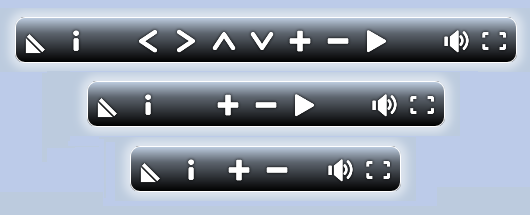
Responsive Design
PanoramaStudio provides some predefined designs for controls.
All designs automatically adapt to the display size such that the controls are always displayed suitable on smartphones, tablets and computers.
You can adjust extensively the predefined designs with JavaScript/JSON and also create own designs and layouts.
Multi-Resolution
Dynamic loading allows fast opening of almost arbitrarily sized images - even gigapixel panoramas are possible - with low bandwidth consumption at the same time.
Example of a large 160 megapixels panorama

Control the panorama with motion sensors on mobile devices
Control with Motion Sensors
The Viewer optionally recognizes motion sensors of mobile devices, such as the gyroscope, and can use these to control the panorama.In this way you can look around in the panorama by turning the device.
Download
The PanoramaStudio Viewer is already included in the installation of PanoramaStudio 4 and 4 Pro. Panoramas for the PanoramaStudio Viewer can be created and configured easily using the PanoramaStudio application.Advanced users with JavaScript/JSON knowledge can also edit a large number of parameters and adapt the viewer to individual requirements in every detail.
Examples
You find more examples of panoramas displayed with the PanoramaStudio Viewer in the PanoramaStudio GalleryKey features of the PanoramaStudio Viewer
- Free for personal use!
- Interactive and platform-independent presentation of 3D panoramas and large Zoom Images
- Dynamic loading allows fast opening of nearly arbitrarily sized images - even gigapixel panoramas - with low bandwidth consumption at the same time
- Highly optimized code for high frame rates and smooth playback
- Adapts flexibly to the browser's features and uses WebGL or CSS-3D-Transformations for the 3D presentation.
- Supports partial panoramas, cylindrical, spherical and 360x180 (equirectangular) panoramas as well as 2D zoom images
- Optional UI elements (gallery, map, compass/radar, and more)
- Supports the use of motion sensors of mobile devices to control the panoramas
- VR mode via WebXR, WebVR or emulated VR for devices without WebXR or WebVR
- Allows to control the Viewer with a JavaScript interface
- Extensive configuration options with JavaScript/JSON
- Supports hotspots and virtual tours
- Offers the option to embed audio and video elements into the panorama
- Auto-Play for automatic panning and zooming in the panorama
- User-interactions with mouse, keyboard and touch input